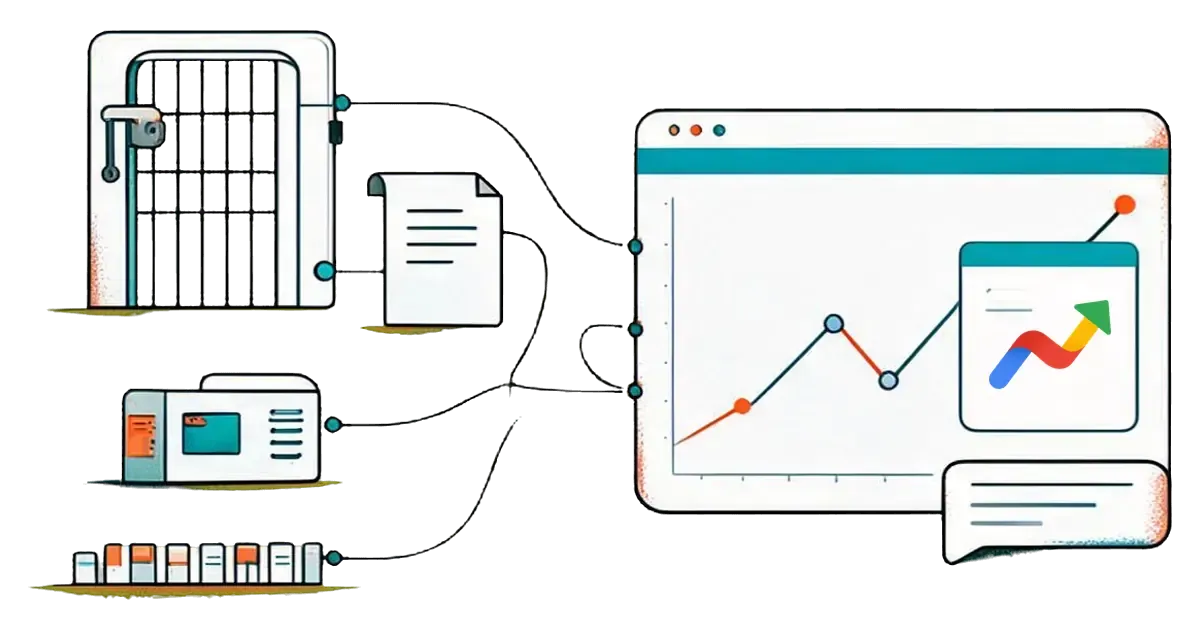
A Google Trends API for AI lets an assistant such as Claude or ChatGPT fetch live Trends numbers instead of guessing from training data. Google's official Trends API is still an alpha open to a small group of testers. Most AI agents get Trends data another way: an open-source library, a paid data provider, or a Google Trends MCP server that the assistant calls as a tool.
This guide compares the four routes, shows what an agent actually receives, and lists the limits it should state in every answer. It ends with a real comparison pulled through MCP on November 19, 2026.
Is there an official Google Trends API?
Yes, but only as an alpha. Google announced the Google Trends API alpha on July 24, 2025, and wrote that it would be available "only to a very limited number of testers". On November 19, 2026, Google's Trends API alpha page still invites applications and says it can't open the API to everyone yet.

The alpha differs from the Trends website in three useful ways:
- Consistent scaling. Values are scaled the same way across requests, so you can join two pulls. The website rescales every chart from 0 to 100.
- A rolling window of 1,800 days. That is roughly five years, with daily, weekly, monthly and yearly aggregation.
- Region breakdowns. Countries and subregions follow the ISO 3166-2 standard.
Google says it prioritizes developers who have a clear use case and can give feedback. If you need Trends data in an agent this week, plan for one of the other routes.
What are the ways to get Google Trends data into an AI agent?
There are four. They differ in who can use them today, what you have to run, and which credential the agent needs.

| Route | Who can use it today | What you run | Credential |
|---|---|---|---|
| Official Google Trends API (alpha) | Approved alpha testers only | Your own client code | Access granted by Google |
| Open-source library such as pytrends | Anyone | Python code on your machine | None |
| Commercial data API such as SerpApi or DataForSEO | Anyone with an account | Your own client code | The provider's API key |
| Google Trends MCP server | Anyone with an MCP client | Nothing if the server is hosted | The MCP server's key |
Open-source libraries
For years, developers read Trends through the same unofficial endpoints the website uses. The best known Python library is pytrends. Its GitHub repository is now archived, and its last PyPI release came out in April 2023. A library like this works until Google changes the endpoints. Your agent also needs a code runner to call it.
Commercial data APIs
Paid providers scrape or proxy Trends and return clean JSON. SerpApi's Google Trends API returns interest over time, interest by region, related topics and related queries, and requires a SerpApi key. DataForSEO also documents a Google Trends API in its Keywords Data section. You still write the code that turns those responses into something your assistant can call.
A Google Trends MCP server
MCP, the Model Context Protocol, is the standard way an AI app calls outside tools. The MCP introduction explains the model: a server lists tools, and the client lets the assistant call them. A Google Trends MCP server wraps Trends queries as tools, so Claude, ChatGPT, Claude Code or Cursor can call them in the middle of a conversation. You write no client code. New to MCP? Read what MCP is first.
What does an AI agent get from a Google Trends MCP server?
It gets a short list of tools, each with typed inputs such as terms, country and time range. The Google Trends MCP server on MCPifex has five read-only tools, and all five are on by default:
| Tool | What the agent gets back |
|---|---|
interest_over_time | A 0 to 100 interest series for up to 5 terms over a time range. |
compare_terms | The same series for 2 to 5 terms, plus each term's average and the highest-interest term. |
related_queries | Top and rising searches related to one term. |
interest_by_region | Interest for one term broken down by region. |
trending_now | Today's trending searches for a country. |
The server needs no Google account and no Google API key. It reads the public Trends endpoints, so its numbers follow the Trends website, including the 0 to 100 scale. It doesn't use the official alpha.
How do I connect Google Trends to Claude or ChatGPT?
Connect a hosted Google Trends MCP server to your client with one URL and one key. On MCPifex the steps are:
- Create a free account and add a Google Trends instance from the marketplace. There is no config form to fill in.
- On the Configure step, click Test connection. A problem with the server shows up straight away.
- On the Tools step, under Tools for your first key, keep the five read-only tools on. Then click Create instance.
- Copy the API key shown once on the Connect step. Keys start with
mcpx_, and you can revoke each one on its own. - Add the endpoint
https://mcp.mcpifex.com/mcpto your client with that key.
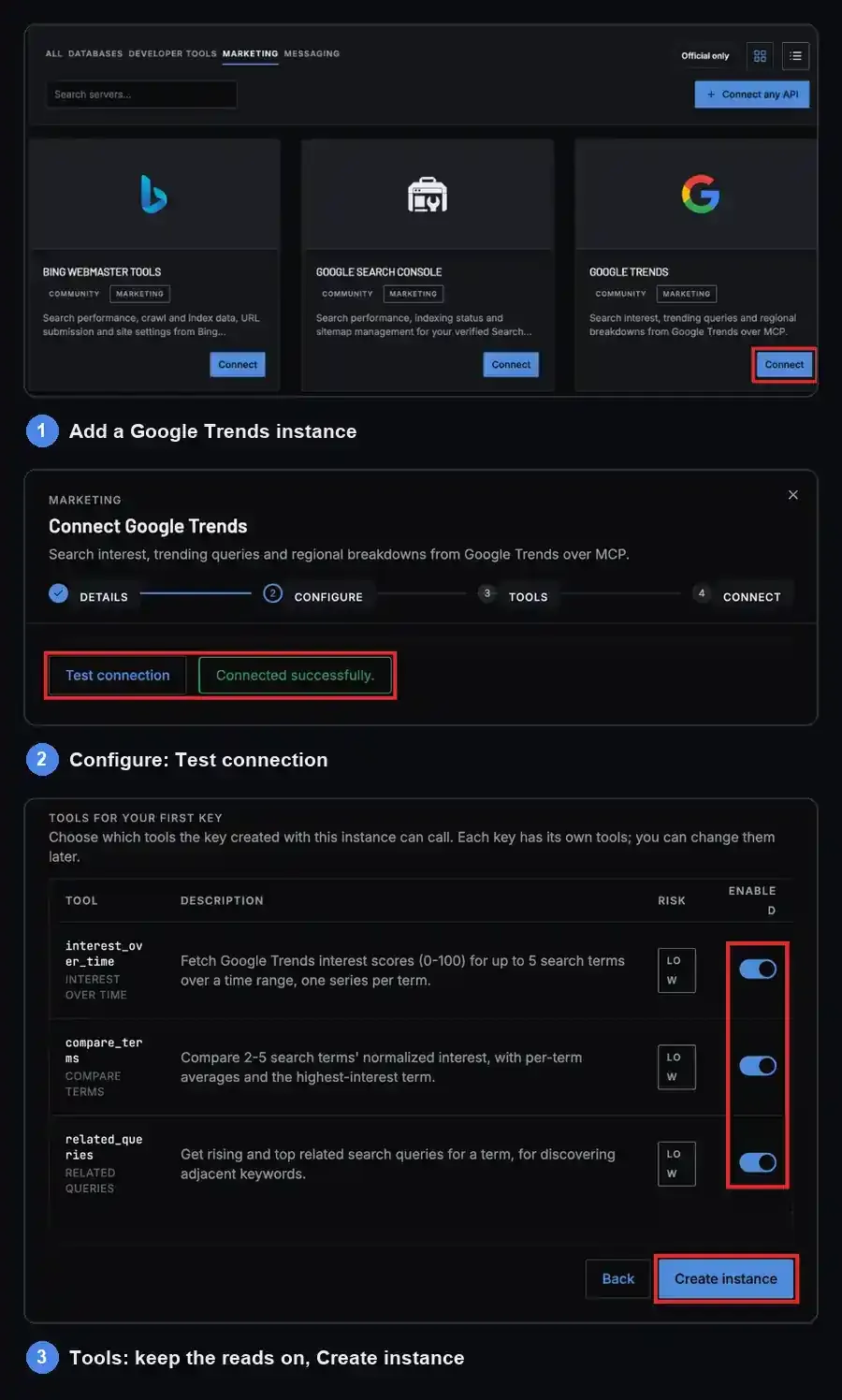
Tools are chosen per key. They are denied by default, and read tools start on, which is why all five Trends tools are on for your first key. To change a key's tools later:
- Open the Keys tab.
- Click Manage.
- Use Tools this key can call.
One key can reach Trends while another can't.
In Claude Code, step 5 is one command:
claude mcp add mcpifex --transport http https://mcp.mcpifex.com/mcp \
  --header "Authorization: Bearer <YOUR_API_KEY>"
Cursor, Claude Desktop and ChatGPT snippets are on the server page. The same MCPifex gateway endpoint serves every server you add, so Search Console or PostgreSQL can sit next to Trends under the same key. Every call appears on the portal's Activity page (profile menu > Profile > Activity), with the tool name, status and time, so you can see which Trends tools the agent called.
What does real Trends data look like through MCP?
Through MCP, Trends data comes back as relative 0 to 100 scores per week. In a worldwide 12-month compare_terms pull on November 19, 2026, "google trends api" averaged 45, "pytrends" 4 and "google trends mcp" 3. The numbers are relative interest within this one comparison, not search volumes.
| Term | Average interest | Peak week (score) |
|---|---|---|
| google trends api | 45 | May 17 to 23, 2026 (100) |
| pytrends | 4 | May 31 to Jun 6, 2026 (9) |
| google trends mcp | 3 | May 24 to 30, 2026 (11) |
Over the 12 months to November 19, 2026, "google trends api" averaged 45 on Google Trends, more than ten times "pytrends" at 4 and "google trends mcp" at 3. People search for the API by name far more than for any one way of reaching it.
The series also moved a lot. "Google trends api" climbed from 39 in mid-November 2025 to its peak of 100 in late May 2026. From mid-July it fell, and it scored 2 in each November week so far. The data shows the drop. It doesn't say why, so an agent shouldn't invent a cause.
A second call, related_queries on the same scope, listed the top related searches. The top four were "official google trends api" (100), "google trends api documentation" (43), "google trends data api" (39) and "google search trends api" (31). Python access came fifth at 9. In the rising list, "official google trends api" grew by 300%. The top query names the official API itself. Searchers mostly want the official API, its documentation and data access, which matches the routes above. For a full research method built on these tools, see keyword research with the Google Trends MCP server.
What can't Google Trends data tell an AI agent?
Trends data shows relative interest, not search counts. Google's Trends data FAQ says each point is divided by total searches for that place and time, then scaled from 0 to 100. A score of 100 is the peak inside one comparison. Tell your agent to state these limits in its answers:
- Scores reset per comparison. A 46 in one pull and a 46 in another are unrelated. Keep the terms, region and dates together.
- Data is sampled. Small gaps between two terms can be noise, and a low-volume term can show 0 while people still search it.
- Related queries are labels, not volumes. Google's related searches help page explains top and rising lists. A "Breakout" label means growth above 5,000%, from any starting size.
- Google can rate-limit. The unofficial endpoints can return HTTP 429. The MCPifex server retries once, then returns a clear error. That error means missing data, not zero interest.
- Unofficial endpoints can change. Every route except the alpha depends on them, so results are best effort.

A good agent prompt makes these limits explicit:
Compare these three terms worldwide over the last 12 months. Print the exact dates, region and capture date first. Call the numbers relative interest, never search volume. If a call fails, say which one and don't fill the gap.
Which Google Trends API route should you choose?
Pick the route that matches who calls the data and how often.
- Choose the official alpha if you are building a product on Trends data, need consistent scaling across pulls, and Google accepts your application.
- Choose a commercial data API if you need many requests on a schedule, inside a pipeline you already run.
- Choose an open-source library for a one-off notebook analysis, knowing it may break without notice.
- Choose a Google Trends MCP server if a person asks the questions in Claude, ChatGPT or Cursor and wants answers in the conversation.
The routes can also combine. If Google accepts you into the alpha, Connect any API can turn the API's documentation or OpenAPI spec into a private MCP server. Your assistant then calls the official data the same way.
Where MCPifex fits
MCPifex hosts the Google Trends MCP server, so there is nothing to install or keep running. You choose which tools each key can call, and the portal logs every call. The Free plan includes 3 instances with no card, and calls are unlimited on every plan. See pricing for Pro and Team.
Key takeaways
- Google's official Trends API is an alpha for approved testers, with consistent scaling and a rolling 1,800-day window.
- AI agents can also reach Trends through open-source libraries, commercial data APIs or a Google Trends MCP server.
- An MCP server needs no client code: the assistant calls Trends tools directly.
- Trends scores are relative within one comparison, never search volume.
- A 429 error is missing data, not zero interest.
Quick answers
Google's alpha page lists no pricing for the official Trends API. It is an alpha open to approved testers who apply on Google's Search Central site. Open-source libraries are free, and commercial data APIs charge for their own keys.
Yes. Connect a Google Trends MCP server to Claude, Claude Code or ChatGPT. The assistant can then compare terms, read interest over time and pull related queries during the conversation.
No. Google says the alpha scales data consistently across requests, so you can join separate pulls. The Trends website and tools that read its endpoints rescale every comparison from 0 to 100.
Google is rate-limiting requests to its Trends endpoints. Wait, then retry with fewer terms per request. Treat the failed call as missing data, never as zero interest.
Sources
- Google Search Central: Introducing the Google Trends API (alpha) and Get early access to the Google Trends API alpha.
- Google Trends Help: FAQ about Google Trends data and Find related searches.
- Model Context Protocol: What is MCP?
- SerpApi: Google Trends API documentation. DataForSEO: Google Trends API overview. GitHub: pytrends repository.
- Google Trends data in this article: compare_terms and related_queries, worldwide, 12 months, captured November 19, 2026.
Ready to try it?
Run hosted MCP servers behind one endpoint and choose exactly which tools your AI can use.
Related reading
Google Trends MCP Server: Tools, Setup and Limits
Google Trends MCP server: five keyless, read-only tools so Claude or ChatGPT can pull Trends data. Setup, prompts, 429 limits and alternatives.
Read more →
Google Trends AI Keyword Research with MCP: A Playbook
Keyword research with Google Trends MCP: compare terms, read relative scores, group search intent and build an evidence-backed content plan with Claude.
Read more →
What Is MCP? The Model Context Protocol Explained for Everyone
What is MCP? The Model Context Protocol lets AI apps like Claude and ChatGPT use your tools and data. Plain-English guide, examples and a 5-minute start.
Read more →