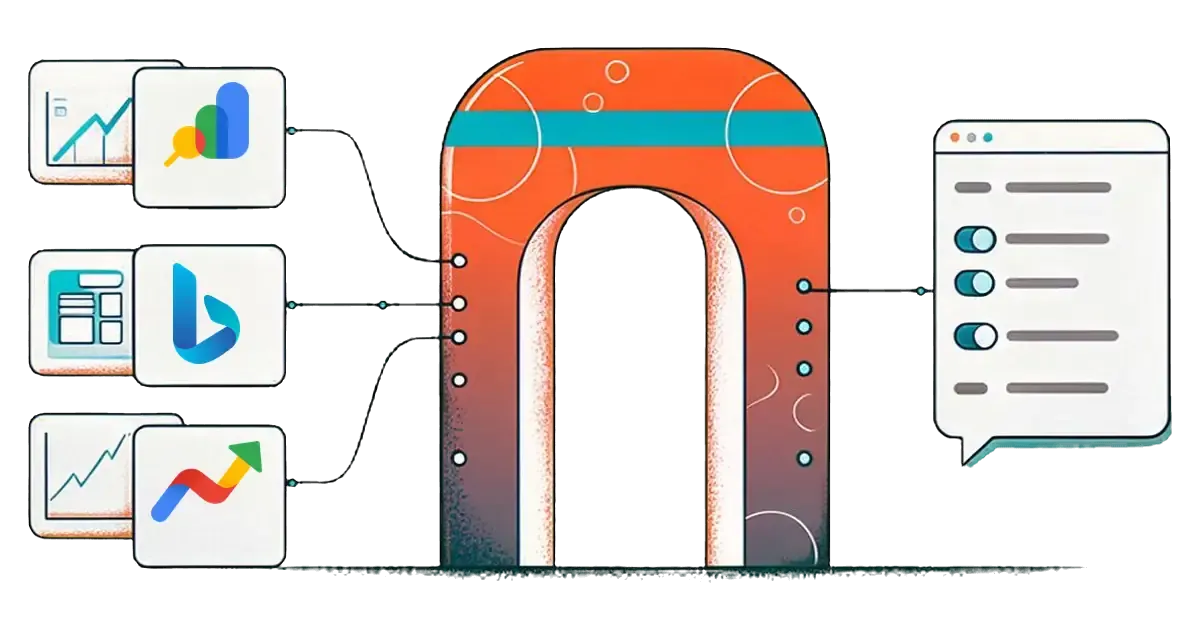
An SEO MCP server connects an AI app such as Claude or ChatGPT to a search data source. You then ask about clicks, crawl errors or search interest in plain English. MCPifex hosts three of them: Google Search Console with 19 tools, Bing Webmaster Tools with 58 tools and Google Trends with 5. All three share one endpoint URL, each instance has its own key, and every tool that writes or deletes starts off.
This guide explains what each SEO MCP server reads, how the three work together in one chat, how to keep them read-only, and where they stop being useful.
What is an SEO MCP server?
MCP, the Model Context Protocol, is the standard that lets an AI app call outside tools. An MCP server is one bundle of those tools. The official MCP introduction covers the protocol itself.

An SEO MCP server wraps a search data source. The AI reads your question, picks a tool such as get_search_analytics, calls it, and explains the numbers that come back. The numbers come from the source at the moment you ask. That is the difference from asking a model about your rankings from memory, where it can only guess.
There are two kinds. First-party servers read data the search engine keeps about your own site: Google Search Console and Bing Webmaster Tools. Third-party servers read estimates from a keyword or backlink database. MCPifex hosts the first-party pair plus Google Trends, which reads Google's own public interest data.
Which SEO MCP servers does MCPifex host?
MCPifex hosts three SEO MCP servers: Google Search Console (19 tools), Bing Webmaster Tools (58 tools) and Google Trends (5 tools). All three run on the Free plan. The table compares them as of November 2026.
| Server | What it reads | Tools | How you connect | Writes at start |
|---|---|---|---|---|
| Google Search Console | Clicks, impressions, CTR, position, URL inspection, sitemaps | 19 | Click Connect Google account and sign in | 5 write and destructive tools, all off |
| Bing Webmaster Tools | Query and page stats, crawl issues, index details, links, keyword data | 58 | Paste one Bing Webmaster Tools API key | All write and destructive tools off |
| Google Trends | Interest over time, term comparison, related queries, trending now, interest by region | 5 | Nothing: no Google account or key | None: all 5 tools only read |
Together that is 82 tools across three instances. The MCPifex Free plan includes exactly 3 instances, so the full SEO set fits on Free with no card.
What does the Google Search Console MCP server do?
It reads the same data as the Search Console dashboard through Google's Search Console API. The Google Search Console MCP server has 14 read tools that start on. They cover search analytics, period comparisons, page and query pairs, URL inspection, indexing checks and sitemaps.
You connect with Google sign-in, not a JSON key. The Google account must be an owner or full user of the property. It can differ from your MCPifex login and from your ChatGPT or Claude account.
The instance has a Data state setting. All matches the dashboard and includes fresh days that can still change. Final only returns settled data, which runs two to three days behind. Pick one and keep it, or month-over-month reports drift. The guide to Search Console reports in ChatGPT shows how to phrase questions so the numbers hold up.
What does the Bing Webmaster Tools MCP server do?
It calls the Bing Webmaster API, which returns traffic stats, link details, keyword data and crawl stats for sites you verified. The Bing Webmaster Tools MCP server has 58 tools. The read tools start on. Tools that submit URLs, change crawl settings, block URLs or remove a site start off.
Setup takes one key. In Bing Webmaster Tools:
- Open Settings.
- Open API access.
- Open API Key.
- Generate a key.
Microsoft documents the steps in getting access to the Bing Webmaster API. One key covers every site verified on that account, and there is no OAuth sign-in.
Bing data is worth a separate look because it can differ from Google's. A page can rank on Bing and stall on Google, or the reverse. Bing also reports crawl issues and inbound links in its own tools, such as get_crawl_issues and get_link_counts. If you turn on URL submission, each site has a daily quota. Ask the AI to run get_url_submission_quota before a batch.
What does the Google Trends MCP server do?
It reads Google Trends and returns interest scores, not search counts. The Google Trends MCP server has five tools: interest_over_time, compare_terms, related_queries, trending_now and interest_by_region. All five only read, and the server needs no Google account or API key.
Scores run from 0 to 100 and are relative to the highest point in the range you asked for. Google explains how the sample is normalized in its Trends data FAQ. Use Trends for direction and comparison:
- is a topic growing
- which of two names people search more
- which region cares most
Google may rate-limit requests with a 429 error. The server retries once, then returns a clear error, so ask again a little later. For a full workflow, see keyword research with the Google Trends MCP.
How do the three servers work together in one chat?
All three instances use the same endpoint, https://mcp.mcpifex.com/mcp. Each instance has its own key, so you add three connectors in Claude or ChatGPT, one per key. With all three connectors turned on, one chat can draw on every server. Here is a monthly review you can run in order:
- Find the drop in Google. "For sc-domain:example.com, which pages lost the most clicks in the last 28 days compared with the 28 before? Show clicks and impressions for both periods."
- Check Bing for the same pages. "For the same five pages, show Bing clicks and impressions for the same dates, and list any Bing crawl issues on those URLs."
- Test demand. "For the main query behind each page, is Google Trends interest lower than a year ago in the United States?"
- Sort the causes. "Group the pages into three buckets: demand fell, Google only, or both engines. Mark which numbers came from a tool call."

The last step matters. If Trends interest fell, the page may be fine and the topic is cooling. If Google clicks fell while Bing held steady, look at Google first: indexing, a title change or a new competitor. If both engines dropped and demand held, the page itself needs work. Each server answers a different part of the question, and none of them answers it alone.
How do you keep an SEO MCP server read-only?
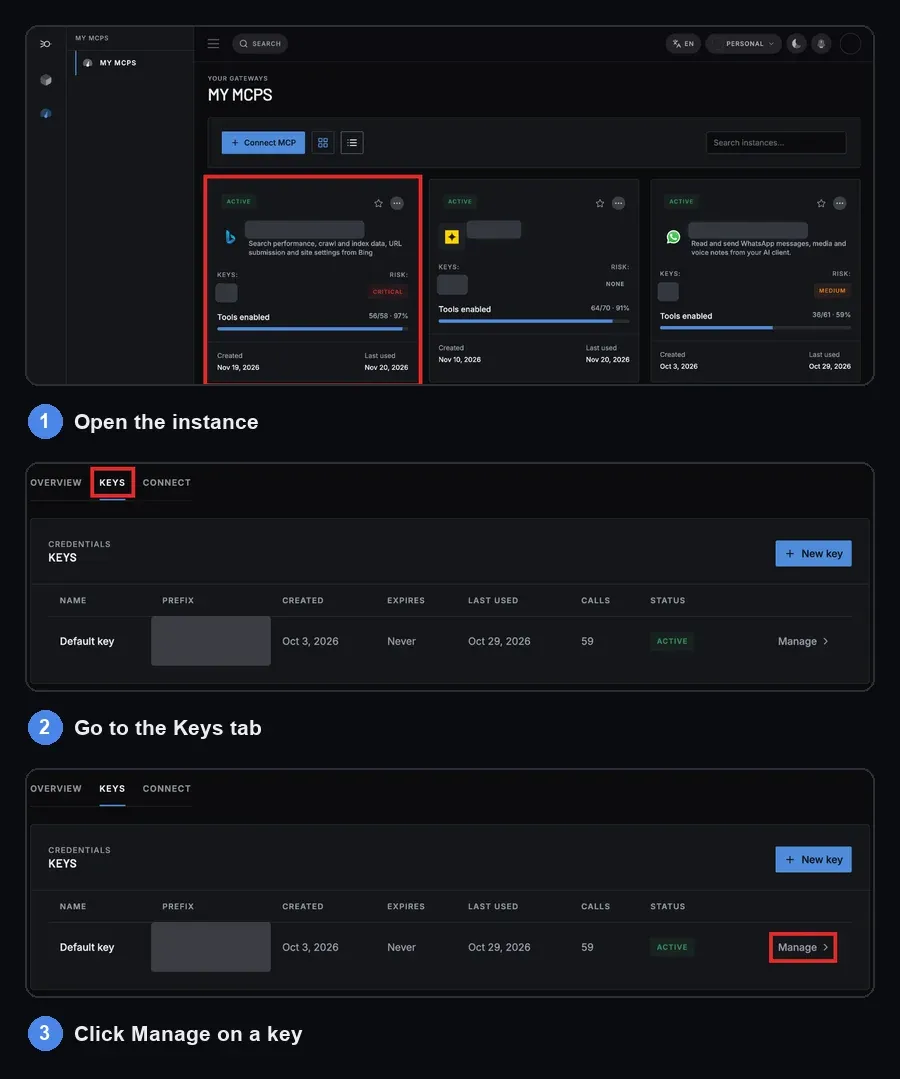
You choose tools per API key, not per server. In the portal:
- Open the instance.
- Go to the Keys tab.
- Click Manage on a key.
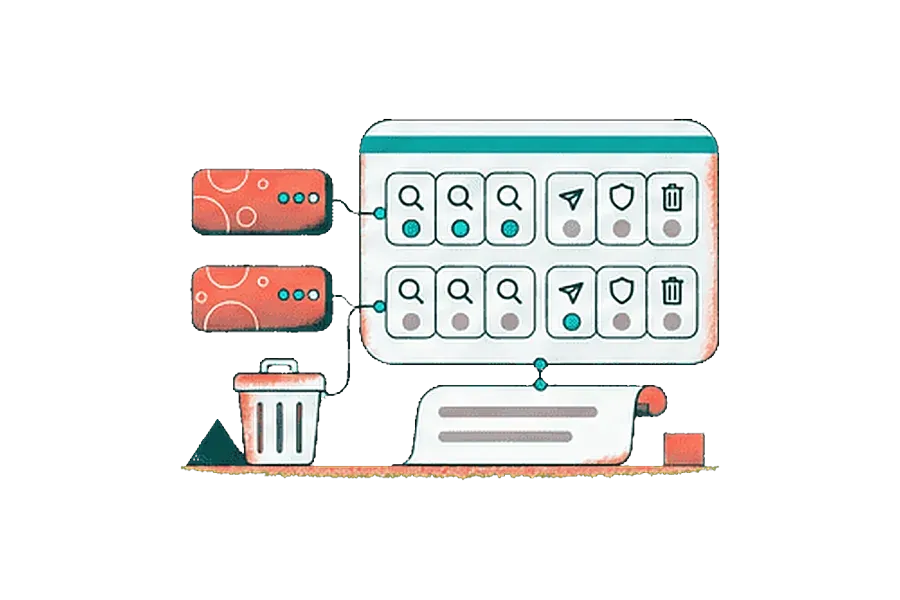
The panel lists Tools this key can call. A tool is callable only when it is switched on for that key, and everything else is denied. Reads start on and writes start off.
For SEO reporting, leave the defaults. The AI can read every report and cannot submit a sitemap, block a URL or remove a site. If you later want it to submit URLs to Bing after a launch, switch on submit_url for one key and leave the others read-only. Different keys, different tools: an agency can give a client's assistant a read-only key and keep a key with submissions for itself. The MCPifex gateway page explains the model.
Every key starts with mcpx_ and can be revoked on its own. The portal Activity page (profile menu > Profile > Activity) lists the calls made through your keys.
How do you set up SEO MCP servers in Claude or ChatGPT?
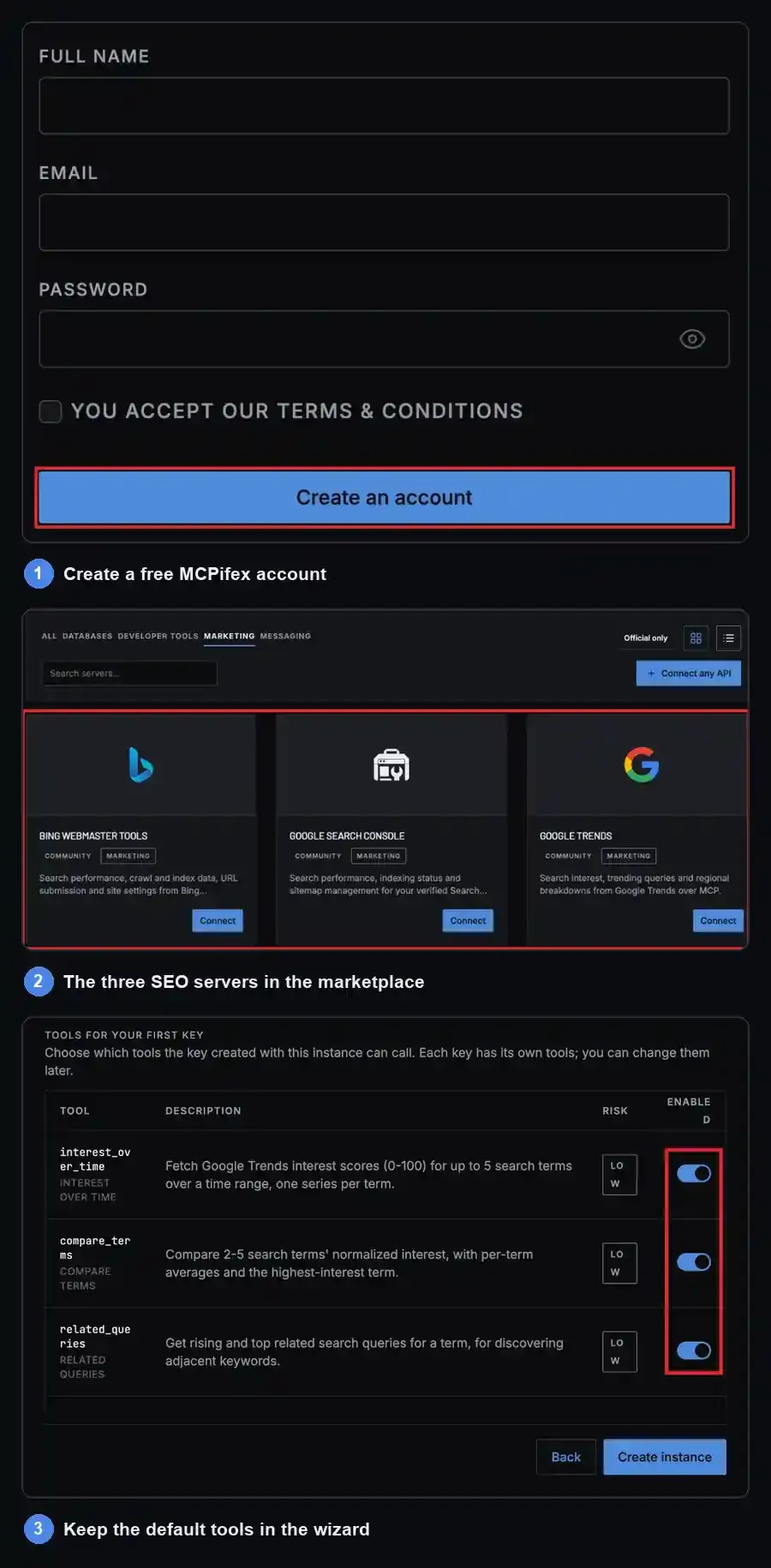
- Create a free MCPifex account.
- From the marketplace, create a Google Search Console instance and click Connect Google account. Create a Bing Webmaster Tools instance and paste your Bing API key. Create a Google Trends instance with no fields.
- In the create wizard, keep the default tools (reads on, writes off) and copy the
mcpx_key it shows. To change tools later, open the instance, then Keys, then Manage. - Add one connector per key, so three in all. In Claude Code, Cursor and other clients with a config file, point each entry at
https://mcp.mcpifex.com/mcpand send that instance's key asAuthorization: Bearer mcpx_.... In a claude.ai custom connector or in ChatGPT, usehttps://mcp.mcpifex.com/mcp/followed by yourmcpx_key as the URL and pick no authentication. The guides to connecting Claude and connecting ChatGPT show each screen. Claude's Free plan allows one custom connector. To run all three servers in one Claude chat, use a paid Claude plan or a client with a config file, such as Claude Code or Cursor. - Ask the AI to list your Search Console properties and your Bing sites before asking for data. That confirms the Search Console and Bing connectors work.
What can't these SEO MCP servers do?
They don't give Google keyword volume. Search Console reports impressions only for queries your site already shows for, and Trends gives relative interest from 0 to 100. Only Bing's keyword tools give counts for phrases you don't rank for, and those cover Bing only. For Google volume, use a keyword tool.

They don't track competitors' rankings or backlinks. Search Console and Bing only show sites you own or manage. They don't audit your HTML either: page speed, schema and on-page checks need a crawler.
If your keyword or backlink tool has an API that uses an API key, Connect any API can turn its docs or OpenAPI spec into a private MCP server. Results depend on how well the API is documented, so test the connection before you rely on it.
How much do SEO MCP servers cost on MCPifex?
Free costs $0 and includes 3 instances with no card, which covers all three SEO servers. Pro costs $19 a month or $190 a year for 10 instances. Team costs $49 a month or $490 a year for 30 instances and up to 5 members. Every plan has unlimited calls, and there is no trial because Free is the trial. Your data source may have its own limits, such as Bing's daily submission quotas and Google's API quotas. See MCPifex pricing for the current plans.
Quick answers
It depends on what you need. For your own site's clicks, rankings and crawl data: Google Search Console plus Bing Webmaster Tools, since they read the engines' own reports. For demand and trend direction: Google Trends. For Google keyword volume or backlinks, none of these three is enough, and you need a server for a third-party SEO tool.
Yes, through MCP servers. Create a Google Search Console instance and a Bing Webmaster Tools instance in MCPifex. Add one connector per instance. In ChatGPT or a claude.ai custom connector, use https://mcp.mcpifex.com/mcp/ followed by that instance's mcpx_ key and choose no authentication. In Claude Code or Cursor, use https://mcp.mcpifex.com/mcp with Authorization: Bearer mcpx_...
Only if you allow it. On MCPifex, tools that submit URLs, submit sitemaps or remove sites start off. You switch them on per API key, and the gateway refuses calls to any tool left off for that key.
Partly. Search Console and Google Trends give no absolute volume: Search Console counts impressions only for queries you already appear for, and Trends gives relative interest from 0 to 100. Bing's keyword tools return Bing-only impression counts for any keyword. For Google volume, you need a keyword tool.
Yes. The Free plan includes 3 instances with no card and unlimited calls, which fits Google Search Console, Bing Webmaster Tools and Google Trends together.
Ready to try it?
Run hosted MCP servers behind one endpoint and choose exactly which tools your AI can use.
Related reading
Google Search Console MCP Server: 19 Tools, Setup and Limits
Use a Google Search Console MCP server in Claude or ChatGPT: 19 tools, Google sign-in with no JSON keys, safe write defaults, and clear limits.
Read more →
Bing Webmaster Tools API MCP Server: 58 Tools and Setup
Use the Bing Webmaster Tools API in Claude or ChatGPT: 58 MCP tools, one API key, reads on and URL submission off until you allow it. Free plan.
Read more →
Google Trends MCP Server: Tools, Setup and Limits
Google Trends MCP server: five keyless, read-only tools so Claude or ChatGPT can pull Trends data. Setup, prompts, 429 limits and alternatives.
Read more →