A Supabase MCP server lets an AI assistant such as Claude or ChatGPT work with your Supabase project through the Model Context Protocol. You have two routes. Supabase's official server signs in to your Supabase account and can run SQL, apply migrations and manage projects. A PostgreSQL MCP server connects to the database alone, which suits read-only questions about your data.
This guide sets up both, shows which one fits which job, and covers the three Supabase details that break most first attempts: the pooler username, IPv6, and row level security.
What is the Supabase MCP server?
It is the MCP server Supabase publishes for its own platform. MCP is how an AI app talks to outside tools, and an MCP server is the piece that offers those tools. The official one is hosted by Supabase at https://mcp.supabase.com/mcp, and most clients sign in to it with OAuth in the browser, so you don't paste a personal access token.
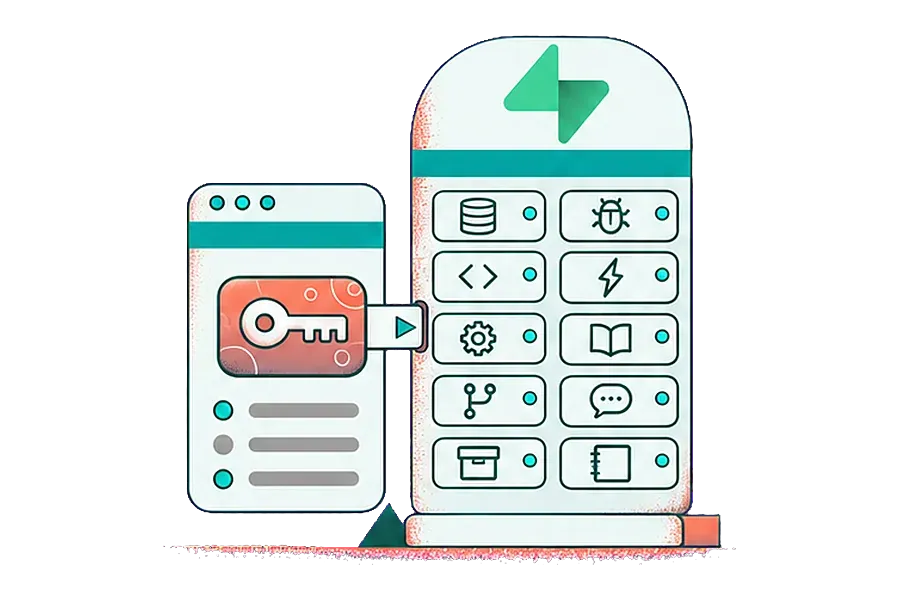
Its tools come in groups. According to the Supabase MCP documentation, as of November 2026 there are ten: database, debugging, development, Edge Functions, account management, docs, branching, feedback, storage and notebooks. The database group alone has list_tables, list_migrations, apply_migration and execute_sql. Account tools can create, pause and restore projects.
That reach is the point for a developer. It is also the reason to think before you connect it to a project with real customer data.
Which route fits: the official server or a Postgres connection?
Pick by the job, not by the name:
- If the AI needs to change your schema, deploy functions or manage projects, use the official server.
- If it only needs to answer questions from your tables, a PostgreSQL MCP server with a read-only database role is the smaller tool.
| Official Supabase MCP server | PostgreSQL MCP server (for example on MCPifex) | |
|---|---|---|
| Signs in with | Your Supabase account (OAuth) | A database role you create |
| Can reach | SQL, migrations, logs, Edge Functions, projects, docs | The tables and views that role can read |
| Read-only option | read_only=true in the server URL | A role with SELECT only, plus the write tool off |
| Scope to one project | project_ref=<id> | Always one database per connection |
| Tool limits | Feature groups via features= | Tools switched on per API key |
| Best for | Developers building on Supabase | Analysts, founders and support teams asking questions |
You can also run both: the official server in your editor while you build, and a read-only Postgres connection for the people who only need answers.
How do you set up the official Supabase MCP server?
Add the hosted URL to your MCP client and sign in when the browser opens. In Claude Code the command is:
claude mcp add --scope project --transport http supabase "https://mcp.supabase.com/mcp"Other clients, including Cursor, VS Code, Claude.ai and ChatGPT, take the same URL in their own connector form or JSON file. Before you use it on real data, add three query parameters to that URL:
project_ref=<your-project-ref>limits the server to one project and turns off the account tools.read_only=trueruns every query as a read-only Postgres user.features=database,docsloads only the tool groups you list.
A scoped, read-only URL looks like https://mcp.supabase.com/mcp?project_ref=abcdefghijkl&read_only=true&features=database,docs. Keep manual approval of tool calls switched on in your client. Supabase's own guidance is to connect to production only when the task needs it, and to use a development branch for schema changes.
How do you connect Supabase to Claude or ChatGPT through MCPifex?
MCPifex doesn't host a Supabase-branded server. Supabase runs on PostgreSQL, so you use the hosted PostgreSQL MCP server and point it at your Supabase database. Nothing to install, and the same URL works in Claude, ChatGPT, Claude Code and Cursor.
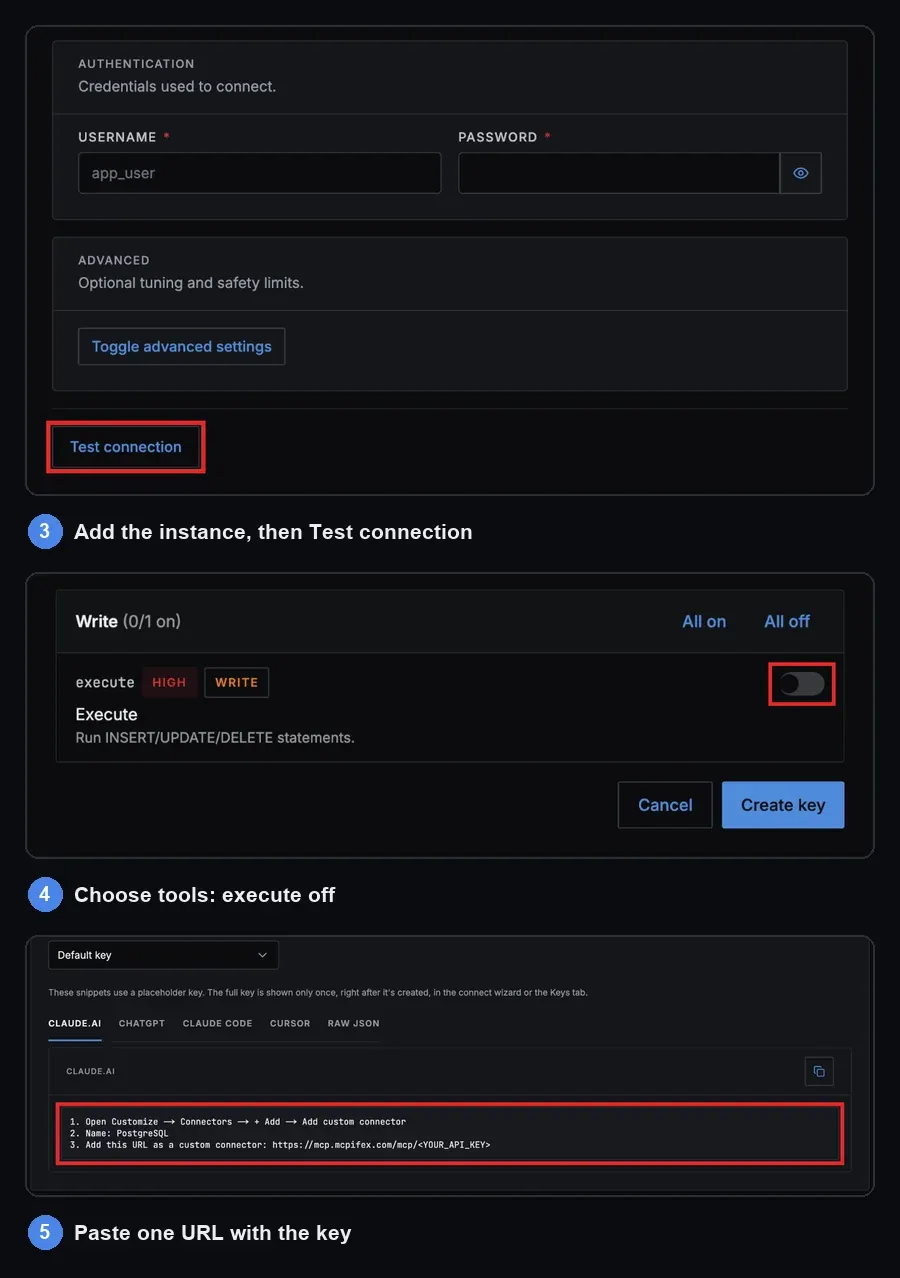
- Get the connection details. In the Supabase dashboard, click Connect at the top of the project page and choose Session pooler. Note the host, port 5432, database
postgresand the username. - Create a read-only role. Run the SQL in the next section. Don't hand the AI your
postgreslogin, which has admin rights. - Add the instance. In the MCPifex portal, pick PostgreSQL and fill in host, port, database, username and password. Click Test connection before you continue.
- Choose tools for the key. When you create the
mcpx_key, the "Tools this key can call" list starts with the four read tools on andexecuteoff. - Paste one URL. Add
https://mcp.mcpifex.com/mcpto your AI app with the key. Claude Code takes it as a header. ChatGPT and Claude.ai connectors take the key as the last path segment of the URL.
The Claude Code command is:
claude mcp add mcpifex --transport http https://mcp.mcpifex.com/mcp \ --header "Authorization: Bearer <YOUR_API_KEY>"
For the ChatGPT clicks, see connect an MCP server to ChatGPT. For sample questions once it works, read query Postgres from Claude.
How do you create a read-only Supabase role for AI?
Create a login role that can read one schema and nothing else. Run this once in the Supabase SQL editor, with your own password:
create role ai_reader with login password 'choose-a-strong-password';
grant usage on schema public to ai_reader;
grant select on all tables in schema public to ai_reader;alter default privileges in schema public grant select on tables to ai_reader;
The last line covers tables you create later. Don't grant anything on the auth schema. It holds your users' sign-in records, and the AI rarely needs them.
The role is your real boundary. The PostgreSQL manual on privileges describes how grants work. Even if someone later turns on execute for a key by mistake, this role still can't write.
Why does the AI see empty tables or fail to log in?
Three Supabase details cause most failed first runs.
Row level security hides every row. Supabase recommends row level security on tables in exposed schemas, so many projects have it on. When it is on and no policy applies to your new role, PostgreSQL uses a default deny. The row security documentation says no rows are visible in that case. The query runs, and the AI reports zero rows. Add a read policy for the role on each table it should see:
create policy "ai_reader can read orders" on public.orders for select to ai_reader using (true);
"Tenant or user not found" on the pooler. A custom role on the shared pooler needs the project ref after a dot in the username, as in ai_reader.abcdefghijkl. With the bare role name, the pooler can't tell which project you mean. Supabase documents the fix in its tenant or user not found guide.
The direct host doesn't answer. Supabase's connection guide says direct connections on db.<ref>.supabase.co use IPv6 unless you buy the IPv4 add-on. The shared pooler is IPv4 on every plan, so use it. Pick session mode on port 5432. Transaction mode on port 6543 doesn't support prepared statements, and it is built for serverless functions.
How do you keep an AI connected to Supabase safe?
Treat the data as untrusted input. Supabase's docs warn about prompt injection: text stored in a row, such as a support ticket, can tell the model to run a query you didn't ask for. The defense is to limit what any tool call can do, whichever server you use. Our prompt injection guide walks through the attack.
- Least access in the database. A SELECT-only role, granted on the schema or views the job needs.
- Least access in the tools. On the official server,
read_only,project_refand a shortfeatureslist. On MCPifex, tools are set per key and denied by default. - Different keys, different tools. One Supabase instance can carry a reporting key with read tools only and a developer key that can also run
execute. Revoke one key and the other keeps working. - Check what ran. Every call through the MCPifex gateway is listed on the portal's Activity page (profile menu > Profile > Activity), with the tool, the instance and whether it worked.
Supabase also says not to give its MCP server to customers or end users, because it runs with your developer permissions. If a teammate only needs answers, a read-only key is the safer handout.
What if you need Storage, Auth or Edge Functions too?
A database connection only reaches tables. For Storage buckets, logs or Edge Functions, use the official server with only those groups switched on. Another route is Connect any API. Give MCPifex the docs of the Supabase Management API and a token. It builds a private MCP server where each endpoint is a tool. Reads start on and writes start off. How many endpoints come through depends on the docs, so check the tool list before you rely on it.
Key takeaways
- The official Supabase MCP server reaches your whole account. Scope it with
project_ref,read_only=trueandfeatures. - For questions about data, a PostgreSQL MCP server with a SELECT-only role is the smaller, safer tool.
- Connect through the session pooler on port 5432, with
role.projectrefas the username. - If the AI sees zero rows, row level security is blocking the role. Add a select policy for it.
- On MCPifex, PostgreSQL works on the free plan, which has 3 instances and needs no card.
Quick answers
Yes. Supabase hosts one at https://mcp.supabase.com/mcp. Most clients sign in with OAuth, and you can limit it with the project_ref, read_only and features URL parameters.
Yes. Add an MCP server as a ChatGPT connector. The official Supabase server works, or connect your Supabase database to a hosted PostgreSQL MCP server and paste its URL with your key.
Not by default. Add read_only=true to the server URL to run every query as a read-only Postgres user. With a PostgreSQL MCP server, use a role that only has SELECT grants.
Row level security is on and no policy covers the role the AI uses, so PostgreSQL denies every row. Add a select policy for that role on each table it should read.
MCPifex hosts a PostgreSQL MCP server that connects to your Supabase database through the session pooler. For Supabase's Management API, you can build a private server with Connect any API.
Sources
- Supabase: Model context protocol (MCP).
- Supabase: Connect to your database and Tenant or user not found.
- Supabase: Row Level Security.
- PostgreSQL: Row Security Policies and Privileges.
Ready to try it?
Connect your Supabase database to Claude or ChatGPT with one endpoint, and choose exactly which tools your AI can use.
Related reading
Postgres MCP Server: Hosted, Write Tool Off by Default
Postgres MCP server hosted by MCPifex: connect any PostgreSQL database to Claude, ChatGPT or Cursor in 4 steps, with the write tool off by default.
Read more →
Query Postgres from Claude with MCP: A Practical Guide
Query Postgres from Claude through MCPifex: use a read-only role, inspect the schema first, run bounded SQL, and check every answer before you trust it.
Read more →
Connect ChatGPT to Your Database: 3 Ways, No Code
Connect ChatGPT to a database in 3 ways: upload a CSV, use a BI tool, or add a read-only MCP connector. Includes a no-code PostgreSQL setup.
Read more →