
Pick TrueFoundry MCP Gateway if you need SSO, role-based access and a gateway you can run in your own VPC, on-prem or air-gapped on the Enterprise plan (custom pricing). Pick MCPifex if you want hosted MCP servers, a free plan and tools chosen per API key, with nothing to deploy.
TrueFoundry governs MCP servers that your company registers or runs. MCPifex runs a set of servers for you behind one endpoint. This page compares the two as of November 19, 2026, using TrueFoundry's public pages and MCPifex's own product.
What is the difference between MCPifex and TrueFoundry MCP Gateway?
The difference is who runs the servers and who the product is built for. TrueFoundry MCP Gateway is part of TrueFoundry's AI Gateway, priced per user for engineering and platform teams. It registers remote, stdio, OpenAPI and virtual MCP servers, then puts identity, policy and tracing in front of them.
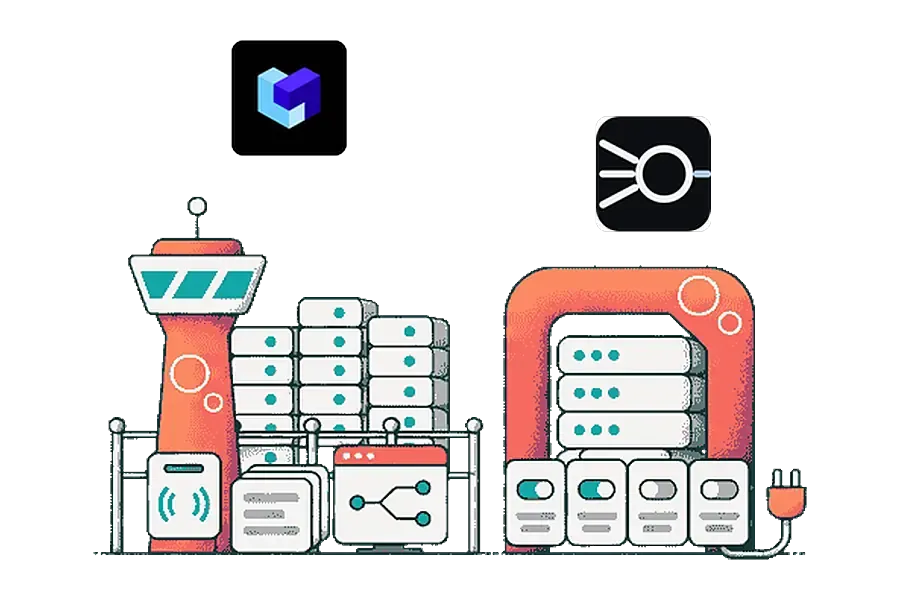
MCPifex is a hosted service for people and small teams who want Claude or ChatGPT to reach real data. You:
- Pick a server
- Save your credentials
- Choose the tools for each key
- Paste one URL into your client
| TrueFoundry MCP Gateway | MCPifex | Source | |
|---|---|---|---|
| Where it runs | SaaS on Developer and Pro; VPC, on-prem or air-gapped on Enterprise (custom pricing) | MCPifex's hosted gateway only | TrueFoundry MCP Gateway page, TrueFoundry pricing |
| Who runs the MCP servers | Your team registers remote servers; the gateway can also run stdio servers with managed commands | MCPifex runs every server in its catalog | TrueFoundry MCP overview |
| How you pay | Per user: Developer $0 for up to 3 users, Pro $25 per user per month, Enterprise custom | By instance count: Free $0, Pro $19/mo, Team $49/mo | TrueFoundry pricing |
| Included calls | 10K (Developer) or 20K pooled (Pro) requests and tool calls per user per month; Pro overage $20 per 100K | Unlimited calls on every plan | TrueFoundry pricing |
| Tool control | Enable or disable tools; permissions per user, team or virtual account; virtual servers expose a curated subset | Tools chosen per API key, deny by default, reads on and writes off | TrueFoundry auth and security docs |
| Sign-in | Federated login through Okta, Azure AD and other identity providers; SSO, RBAC and audit logging | MCPifex portal account; revocable mcpx_ keys | TrueFoundry MCP Gateway page |
| Call history | Traces with latency, errors and usage; logs kept 7 days (Developer) or 30 days (Pro) | Calls listed on the portal Activity page (profile menu > Profile > Activity) | TrueFoundry pricing |
| An API with no MCP server | Generates MCP tools from an OpenAPI spec | Connect any API turns an OpenAPI spec or API docs into a private MCP server | TrueFoundry OpenAPI to MCP docs |
What does TrueFoundry MCP Gateway do?
It sits in front of the MCP servers your organization uses and adds identity, access rules and observability. TrueFoundry's MCP overview docs describe "secured and governed access to curated AI tools through a single unified platform."
- Four server types. Remote servers, OpenAPI servers, virtual servers, and stdio servers that the gateway runs "with managed commands, arguments, environment variables, and credentials."
- Virtual MCP servers. These combine tools from several servers into one. The virtual MCP server doc takes only safe GitHub and Slack tools, so a tool like
delete_projectis never exposed. - Guardrails and credentials. Pre-tool and post-tool checks run around each call. Upstream servers use OAuth 2LO or 3LO flows, with vault integration for credentials.
- Tracing. Every MCP call is traced with latency, error and usage data that you can filter by user, tool or team.
The product page lists SaaS, hybrid, VPC, on-prem and air-gapped deployment. Its trust section lists SOC 2, HIPAA and GDPR. Clients authenticate with a personal access token, a virtual account token, an identity provider token or TrueFoundry OAuth. TrueFoundry also routes LLM requests through the same gateway, and both kinds of call draw on one allowance.
How does MCPifex work?
MCPifex is a hosted MCP marketplace and gateway. You create an instance of a server in the portal, save your own credentials and issue an API key. Every client uses one endpoint, https://mcp.mcpifex.com/mcp, and the key decides which tools it can call.
- Hosted servers. PostgreSQL, Google Trends, Google Search Console, App Store Connect, WhatsApp (Pro plan or higher) and Bing Webmaster Tools run on our side. You install nothing.
- Any API you connect. The Connect any API button in the marketplace toolbar turns an OpenAPI spec or an API's docs into a private MCP server. See Connect any API.
- Per-key tools. Open the Keys tab, click Manage, and pick the tools under "Tools this key can call." Everything you leave off is denied. Read tools start on and write tools start off.
- Revocable keys. Each key starts with
mcpx_. Revoke one and the others keep working. - Call history. Calls are listed on the portal Activity page (profile menu > Profile > Activity).
MCPifex has no self-hosted option, SSO, guardrails or policy engine. It is built so one person or a small team can connect Claude to a database or Search Console without running anything. The MCPifex gateway page explains the endpoint and keys.
How do the tool controls compare?
Both products can hide tools from the AI, but they attach the rule to different things. In TrueFoundry, an admin grants a user, team or virtual account access from the server's Collaborators settings. The auth and security docs say permissions can cover which tools within a server each identity may invoke. Virtual servers then bundle a curated subset for one team or agent.
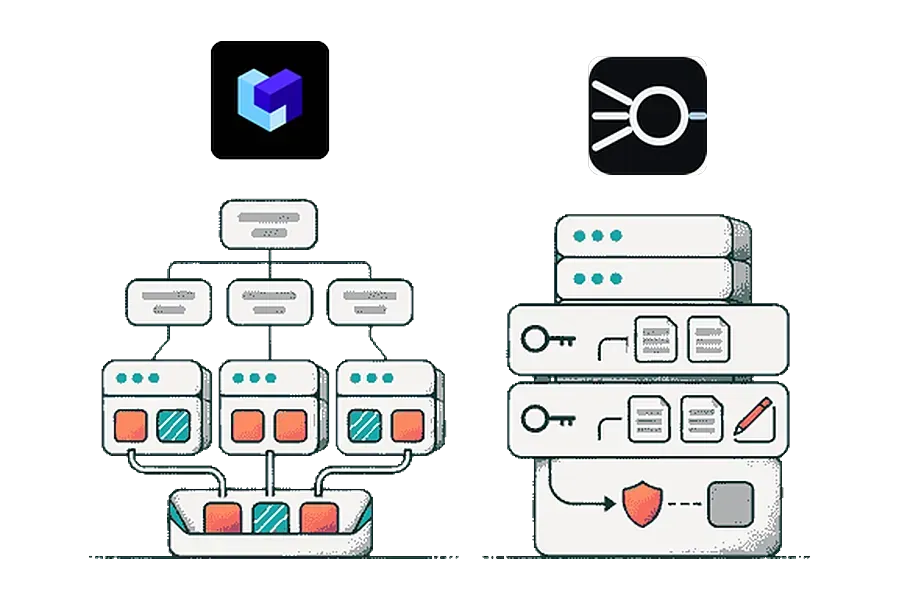
That model suits an IT team that maps tools to roles across many servers. In MCPifex, the unit is the API key. One instance, meaning one connection to your database or account, can have several keys with different tools. A sales key might only read, while a developer key also writes. A call to a tool that is off for that key is refused.
How much do TrueFoundry MCP Gateway and MCPifex cost?
For one person, both start at $0. For a team of five, MCPifex Team costs $49 a month flat and TrueFoundry Pro costs $125 a month at $25 per user. Above five people, only TrueFoundry has a plan.

| How you pay | TrueFoundry MCP Gateway | MCPifex | Difference |
|---|---|---|---|
| 1 user, per month | Developer: $0, 10K requests and tool calls | Free: $0, 3 instances, unlimited calls | $0 |
| 5 users, per month | Pro: 5 x $25 = $125, 100K pooled calls | Team: $49, 30 instances, unlimited calls | MCPifex $76 less |
| 5 users, 12 months | $1,500 | $490 on the yearly plan, or $588 paid monthly | MCPifex $1,010 less on the yearly plan |
| 5 users, 300K tool calls a month | $125 plus $40 overage for 200K extra calls = $165 | $49 | MCPifex $116 less |
| 25 users, per month | Pro: 25 x $25 = $625, 500K pooled calls | No plan; Team allows up to 5 members | TrueFoundry only |
Prices come from the TrueFoundry pricing page and MCPifex pricing. TrueFoundry counts each MCP tool call and each LLM request as one call, and model-provider charges are billed separately. Pro overage is $20 per additional 100K calls. MCPifex charges by instance count only, so call volume never changes the bill.
How do I move a server from TrueFoundry MCP Gateway to MCPifex?
There is no import, so you re-enter each connection by hand. Move a server only if MCPifex hosts it, or if it is an API with an OpenAPI spec or readable docs.
- List the servers your team uses in TrueFoundry and the tools each person relies on.
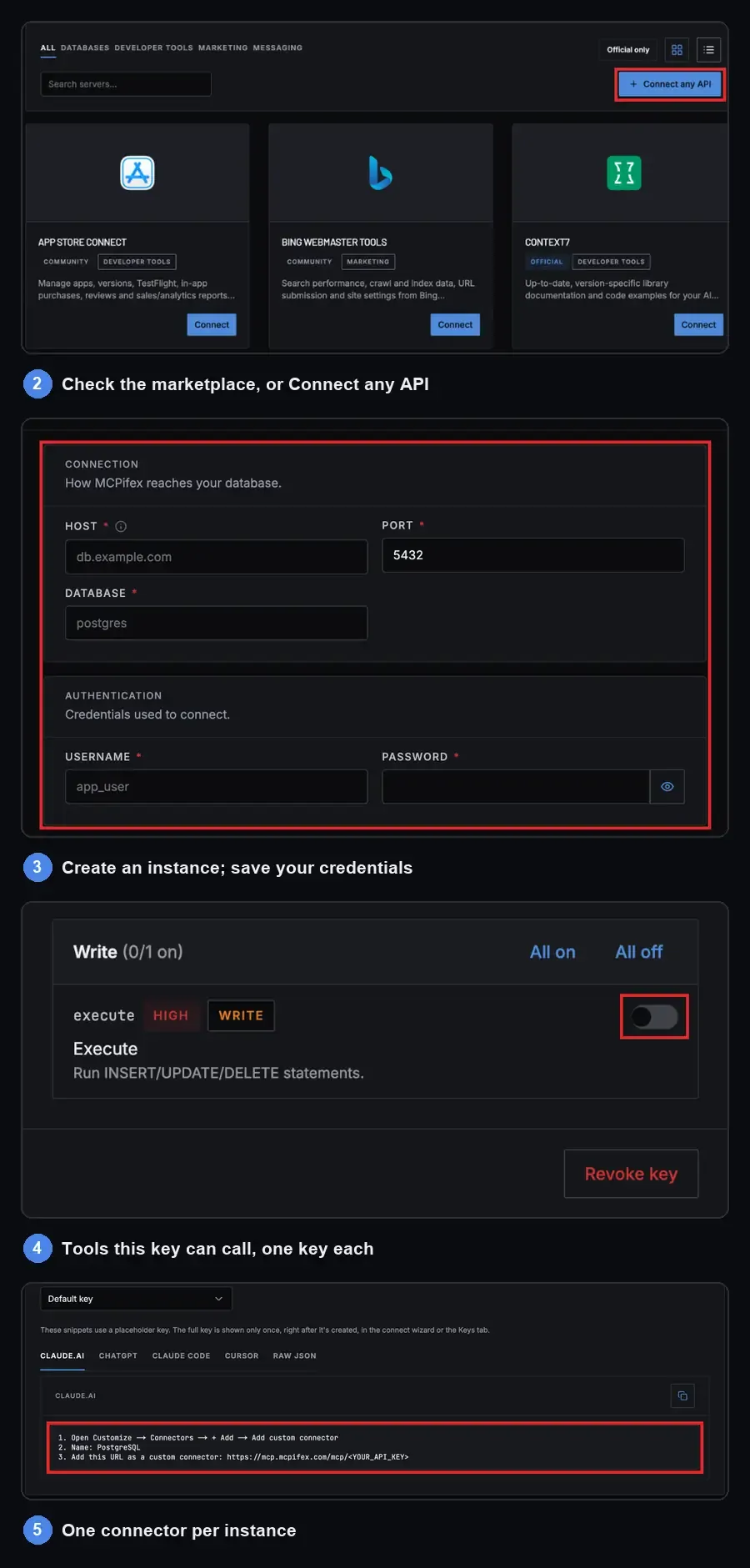
- Check each one against the MCPifex marketplace. For an internal REST API, use Connect any API with its OpenAPI spec or docs.
- Create a free account and create an instance for each server. Save your own credentials for it.
- Issue one key per person or agent. In Keys, click Manage and choose the tools under "Tools this key can call." Leave write tools off until someone needs them.
- Replace the TrueFoundry URL in each client with
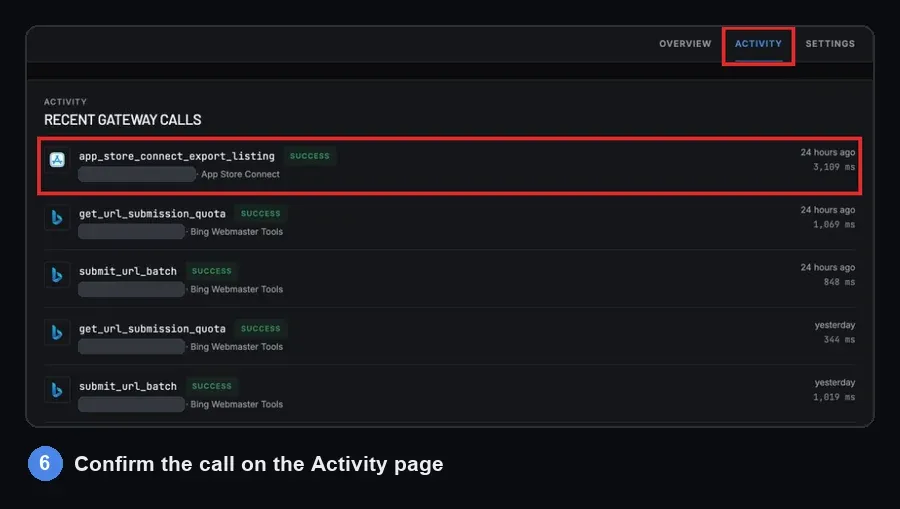
https://mcp.mcpifex.com/mcpand the new key. - Run one read task per client, then open the Activity page (profile menu > Profile > Activity) to confirm the call arrived.
- Remove the old server access in TrueFoundry once every client works.
TrueFoundry's prebuilt connectors for Slack, Confluence, Sentry and Datadog have no hosted MCPifex server today. Keep those where they are.
Where TrueFoundry MCP Gateway is the better choice
- You must run the gateway in your own VPC, on-prem or air-gapped, and can take TrueFoundry's Enterprise plan (custom pricing) to do it. MCPifex is hosted only.
- You need federated login through Okta or Azure AD, RBAC and audit logging, or a vendor that lists SOC 2 and HIPAA.
- You govern many servers your teams build, including stdio servers, and want virtual servers that combine tools across them.
- You want pre-tool and post-tool guardrails on every call.
- You already route LLM requests through a gateway and want one trace and one bill for both.
- More than five people each need their own seat.
Where MCPifex is the better choice
- You want the server run for you. PostgreSQL, Search Console, App Store Connect and the rest need nothing installed.
- You want a flat price with unlimited calls. A team of five pays $49 a month on Team, whatever the agent's call volume.
- You want different tools on different keys to the same account, with everything else denied.
- You need an API that has no MCP server, and you have its OpenAPI spec or docs.
- You want to start without a sales call or a card. Free includes 3 instances.
What is the verdict?
TrueFoundry MCP Gateway is the stronger choice for an enterprise platform team that governs many MCP servers under its own identity provider and infrastructure. MCPifex fits one person or a team of up to five who want hosted servers, per-key tools and a flat price.
Still comparing? Read the best MCP gateways list, MCPifex vs Docker MCP Gateway, or what an MCP gateway is. You can start free with 3 instances and no card.
Quick answers
Yes, for small teams. The Developer plan is $0 for up to 3 users, with 10K requests and tool calls per user per month. It allows 5 MCP servers and keeps logs for 7 days, per TrueFoundry's pricing page on November 19, 2026.
Only for people and small teams who want hosted servers. MCPifex has no self-hosting, SSO, RBAC or guardrails, and its Team plan covers up to 5 members.
Partly. It runs stdio servers with managed commands and credentials, and it generates servers from OpenAPI specs. Remote servers you register keep running wherever you or their vendor host them.
MCPifex. Each key has its own list of tools it can call, and everything else is denied. TrueFoundry sets permissions per user, team or virtual account and curates tools with virtual MCP servers.
TrueFoundry counts each MCP tool call as one request against the plan allowance, with Pro overage at $20 per 100K. MCPifex has unlimited calls on every plan and charges by instance count.
Sources
- TrueFoundry: MCP Gateway product page
- TrueFoundry: pricing
- TrueFoundry Docs: MCP overview
- TrueFoundry Docs: Virtual MCP Server
- TrueFoundry Docs: MCP Gateway auth and security
- TrueFoundry Docs: OpenAPI MCP server
Ready to try it?
Run hosted MCP servers behind one endpoint and choose exactly which tools each key can use.
Related reading

Best MCP Gateways Compared: 10 Options for 2026
Ten MCP gateways compared on hosting, auth, tool-level control, logging and price, from Docker and LiteLLM to TrueFoundry, MintMCP and MCPifex.
Read more →
MCPifex vs Docker MCP Gateway: Hosting and Tool Policy
Compare MCPifex with Docker MCP Gateway and Enterprise Gateway: Docker setup, hosted deployment, tool controls, logs, and what each costs to operate.
Read more →
Hosted vs. Self-Hosted MCP Servers: Compare the Costs
Hosted vs self-hosted MCP servers compared: who runs the runtime, security controls, credentials, maintenance and the real cost of operating each.
Read more →