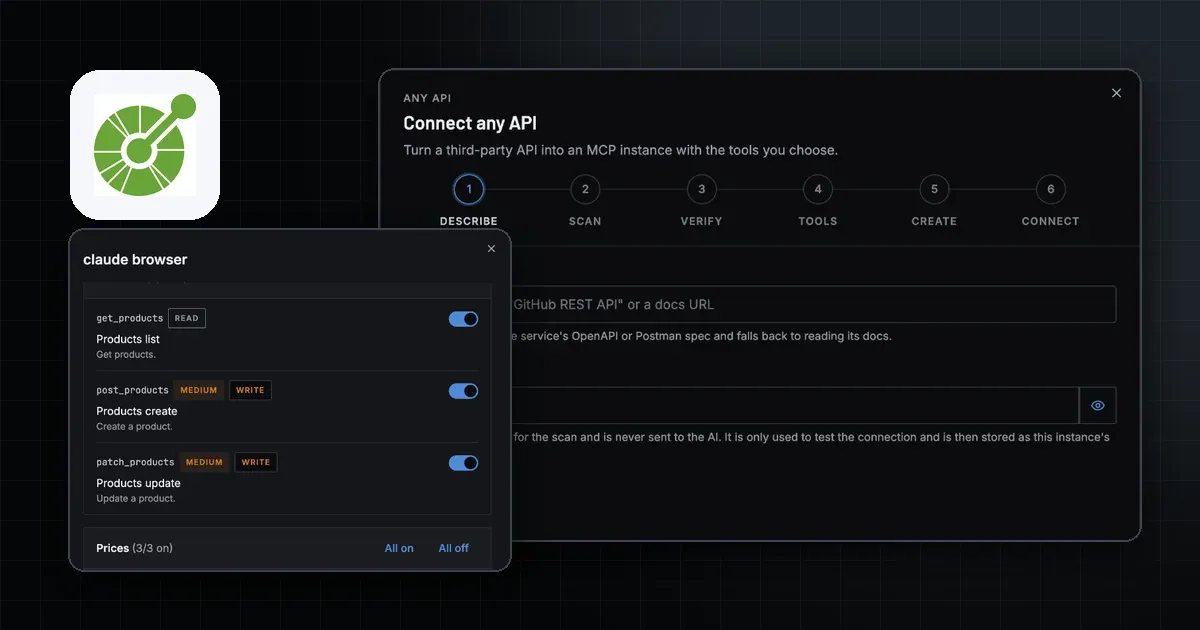
To go from OpenAPI to MCP, you turn each operation in the spec into an MCP tool. The operation's name becomes the tool name, its summary becomes the description, and its parameters and request body become the tool's input schema. You can do that in code with a generator and host the result yourself, or you can let a hosted service scan the API and run the server for you. This guide covers both routes, plus auth, read and write tools, security and testing.
An OpenAPI MCP server sits between an AI client and a REST API. The client calls a tool, the server makes the HTTP request, and the response goes back to the model. If you want the background on why a model needs that layer at all, read MCP vs API.
How does an OpenAPI spec become MCP tools?
An OpenAPI document already describes every operation in a machine-readable way. An MCP tool needs a name, a description and an inputSchema written in JSON Schema, as defined in the MCP tools specification. Most of the mapping is direct:
| OpenAPI field | Becomes in MCP | Note |
|---|---|---|
operationId | Tool name | Without one, generators fall back to the summary or method plus path. |
summary and description | Tool description | The model reads this to decide when to call the tool. |
| Path, query and header parameters | Properties in inputSchema | Required parameters stay required. |
requestBody schema | Properties in inputSchema | Deeply nested bodies are harder for a model to fill. |
servers | Base URL for every call | Pick one when the spec lists several regions. |
securitySchemes | Where the server puts the key | Header, Bearer, query parameter or Basic. |
| HTTP method | Read or write tool | GET and HEAD read. POST, PUT, PATCH and DELETE write. |
The method column matters most for safety. A GET that lists invoices is a read tool. A POST that sends an email or a DELETE that removes a customer is a write tool, and it should start switched off. The MCP tools glossary entry explains how clients list and call tools.
Not every operation should become a tool. An API with hundreds of endpoints gives the model a long menu, and it picks worse from a long menu. Keep the operations a task needs and drop the rest.
What makes a spec convert well?
A spec written for humans and SDK generators is not always good input for a model. These details decide whether the tools come out usable:
- Every operation has an
operationId. Short, verb-first names likelistInvoicesmake clear tool names. Auto-built names from long paths do not. - Descriptions say when to use the operation. "Returns invoices for a customer, newest first" helps the model more than "Get invoices".
- A
serversentry exists. Without it, the generator or scanner has to guess the base URL. securitySchemesare filled in. They tell the server whether the key goes in a header, a Bearer token, a query parameter or Basic auth.- Parameters have types, enums and examples. A model fills
status: "paid"correctly when the enum lists the allowed values. - There is at least one GET with no required parameters. A call like "get current account" makes a safe connection test.
Swagger to MCP works the same way. A Swagger 2.0 document has the same operations and schemas under older field names. Check that your generator accepts it, or upgrade it to OpenAPI 3 first. MCPifex reads Swagger specs directly.
How do I generate an OpenAPI MCP server in code?
If you own the API or want full control, generate the server and run it yourself. Three developer options come up most:
- FastMCP. Its OpenAPI integration builds a server with
FastMCP.from_openapi()from a spec and an HTTP client. By default it turns every endpoint into a tool, and route maps let you exclude or reshape routes. Its own docs note that curated servers work better than auto-converted ones for large APIs. - Stainless. It generates an MCP server from your OpenAPI spec next to your TypeScript SDK and publishes it as a separate npm package.
- Speakeasy. Its docs on generating MCP servers from OpenAPI documents cover tool selection and distribution through npm, Cloudflare Workers or an MCPB file.
Generating the code is the short part. After that you own four decisions:
- Auth. The upstream API key lives in the server's environment, never in a tool argument the model can see or change.
- Transport. The MCP transports are stdio, where the client starts the server as a local process, and Streamable HTTP, where the server runs at a URL. Stdio suits one person on one machine. HTTP suits a team.
- Hosting. An HTTP server needs a host, TLS, its own client auth and updates when the API changes.
- Tool scope. Decide which operations ship and which stay out, then regenerate when the spec changes.
How do I turn a REST API into an MCP server without code?
MCPifex has a hosted route for APIs you use but do not own. Open the Connect any API card at the top of the marketplace, name the service (for example "Resend") or paste its docs URL, and add your API key. MCPifex scans in the background. It prefers an OpenAPI, Swagger or Postman spec and falls back to the HTML docs. The scan finds the base URL, where the key goes, extra settings such as region or account id, and every endpoint as a tool marked read or write.
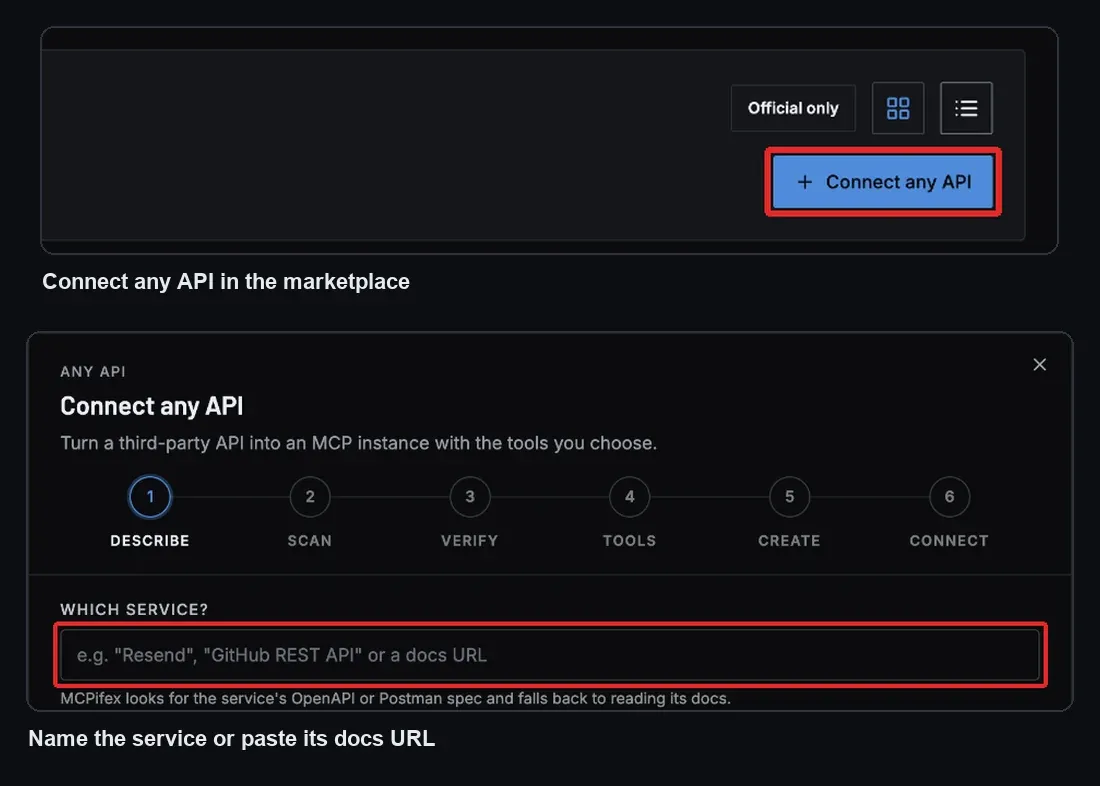
You then check where your key will be sent, MCPifex verifies the key with read-only calls, and you pick tools grouped by resource. Reads start on and writes start off. Saving creates a private instance that a generic MCPifex runtime runs, and you connect any MCP client to https://mcp.mcpifex.com/mcp with an MCPifex API key. The step-by-step version is in the Connect any API docs, and the overview is on the Connect any API page.
Two limits are worth knowing up front. Only APIs that use an API key work; OAuth-only APIs do not. And the result depends on the API's docs: a clear spec scans cleanly, while thin HTML docs can miss endpoints.
Where should the API key go?
There are two separate credentials in an OpenAPI MCP server, and mixing them up is the most common design mistake:
- The upstream key authenticates the server to the REST API. It belongs in the server's config, placed the way the spec's
securitySchemessay. - The client credential authenticates the AI client to the MCP server. For a remote server this is a token or key the client sends with each request.
The model should never see the upstream key. In MCPifex, your API key is stored as the instance's secret, it is never sent to the scanner, and the runtime never logs it. Clients use a separate MCPifex key, and tools are set per key: one key can have reads only while another on the same instance can also write. See API keys and per-key tools for how that works.
How do I keep an OpenAPI MCP server safe?
A converted API gives a model the same reach as your key. Five controls keep that reach small:
- Writes off by default. Turn on each write tool only for the key and task that need it.
- Limit outbound hosts. The server should call only the API's own host. A spec or a tool argument that points somewhere else should fail. This blocks server-side request forgery and keeps the key from leaking to another host.
- Cap response size. A list endpoint can return megabytes. Cap it so one call cannot flood the model's context.
- No local file access. The server needs HTTP, not your disk.
- Never log keys. Log the tool name and status, not headers.
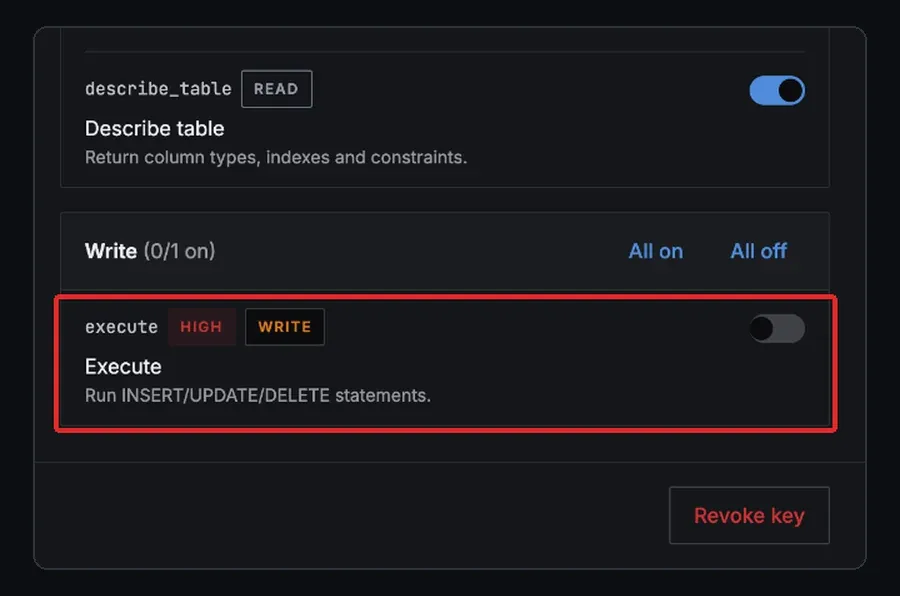
The MCPifex runtime applies the last four for every connected API, and reads on, writes off is the default for the first key. The MCP security best practices cover the wider risks. For planning which key gets which tools, read how to control what AI agents can reach.
How do I test an OpenAPI MCP server?
Test in this order, so a failure points at one layer:
- List tools. Connect the MCP Inspector and run
tools/list. Check the names, descriptions and input schemas. - Call a safe read. Run a GET with no required parameters, such as the current account. A 401 here means the key or its placement is wrong.
- Call a read with parameters. This checks that the input schema maps to the right query or path fields.
- Try a write against test data. Use a sandbox account or a test record, never production first.
- Try a tool that should be blocked. A tool that is off for the key should be refused.
In MCPifex, steps 1 and 2 happen during setup: the key check runs read-only calls before you can save. Calls are unlimited on every plan, and a connected API counts as one instance, so it fits on the Free plan. Plan limits are on the pricing page.
Which route should you choose?
Generate the code when you own the API, need custom tools that combine several calls, or must run the server inside your own network. Use the hosted route when you want an existing third-party API in Claude, ChatGPT or Cursor today, with a key per person or task and nothing to deploy.
Frequently asked questions
Yes. Swagger 2.0 has the same operations and schemas as OpenAPI 3 under older field names. Check that your generator accepts it, or upgrade it to OpenAPI 3 first. MCPifex Connect any API reads OpenAPI, Swagger and Postman specs.
No. Expose the operations a task needs and leave the rest out or switched off. A shorter tool list helps the model pick the right call.
Code generators need one. MCPifex Connect any API prefers a spec but falls back to reading the API's HTML docs when no spec is published.
Not through MCPifex Connect any API. It works with APIs that take an API key in a header, a Bearer token, a query parameter or Basic auth.
In the server's config, never in a tool argument. The AI client uses a separate credential to reach the MCP server, so the model never sees the upstream key.
Ready to connect?
Run hosted MCP servers behind one endpoint and choose exactly which tools your AI can use.